OB Dex
A DEX based on order books instead of an AMM
Summary
This decentralized exchange uses buy-side and sell-side order books to match maker and taker orders. It uses the way CEXs work, but does so using the blockchain as part of the application stack.
Support for any valid ERC20 can be added by the Admin (even after contract deployment)
Uses DAI as the base token for all pairs
Works with 6 and 18 decimal tokens
Graphs and order UI update live as new trades are made
Tech & Tools
Frontend

React

Web3js

Sass
Backend

Netlify
Contracts

Solidity

Open Zeppelin

Truffle
Architecture
Click image to see full size
dApp Walkthrough
Click image to see full size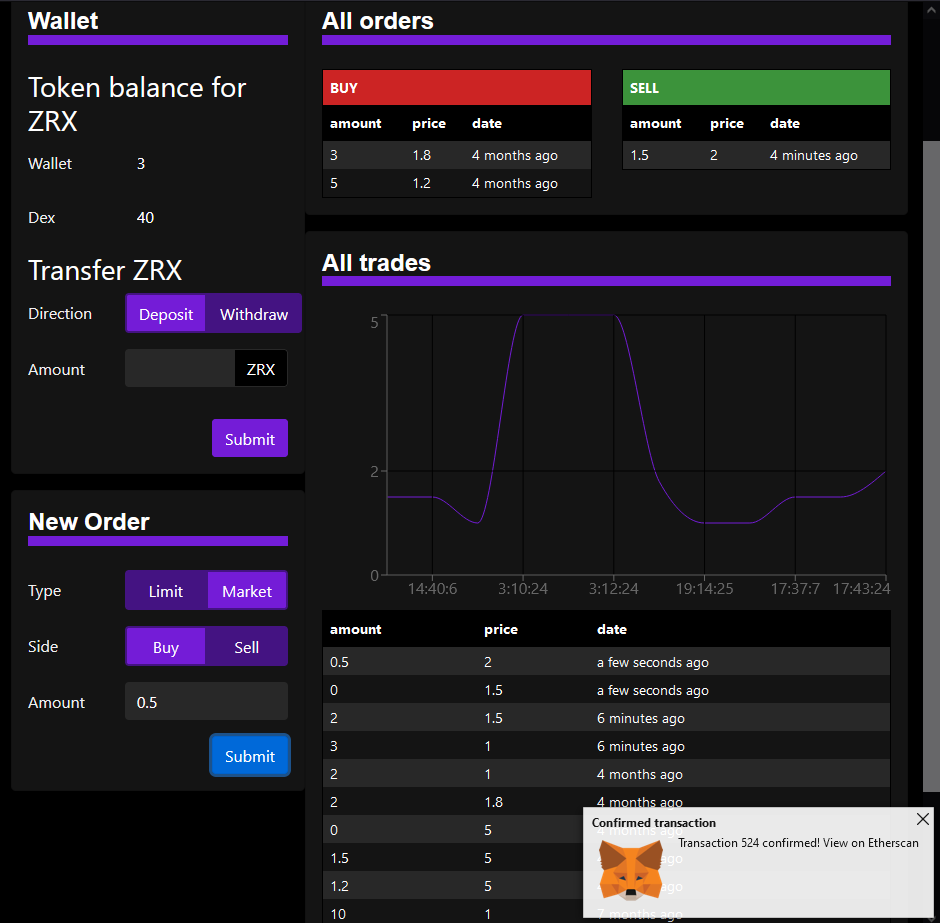
A confirmed market order updates all tables and the graph
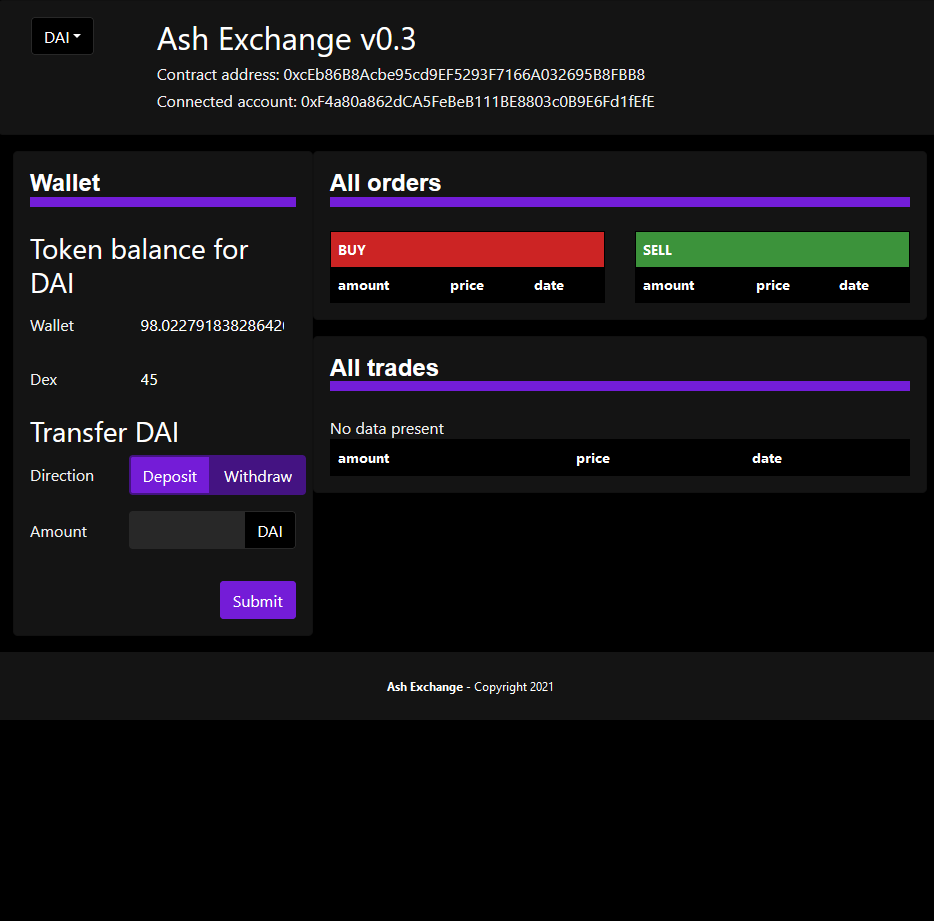
It opens on the base token. DAI can be deposited here to trade for other tokens.
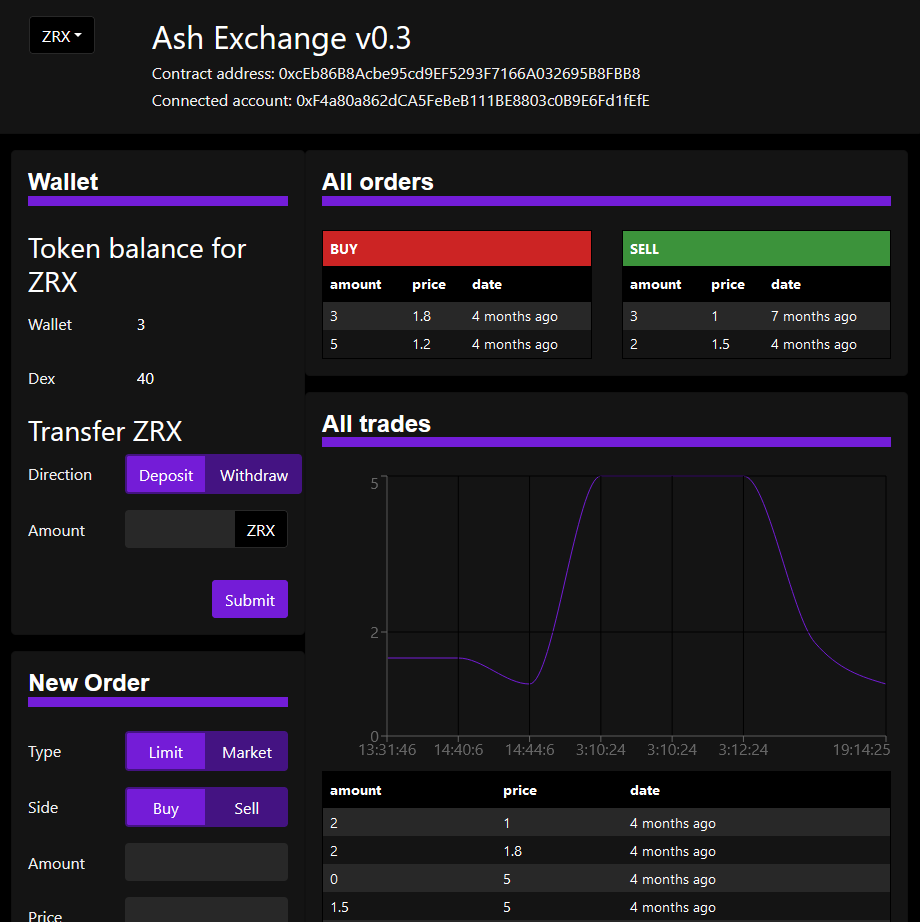
The ZRX page for the ZRX-DAI trading pair. Note that wallet and DEX account balances are shown.
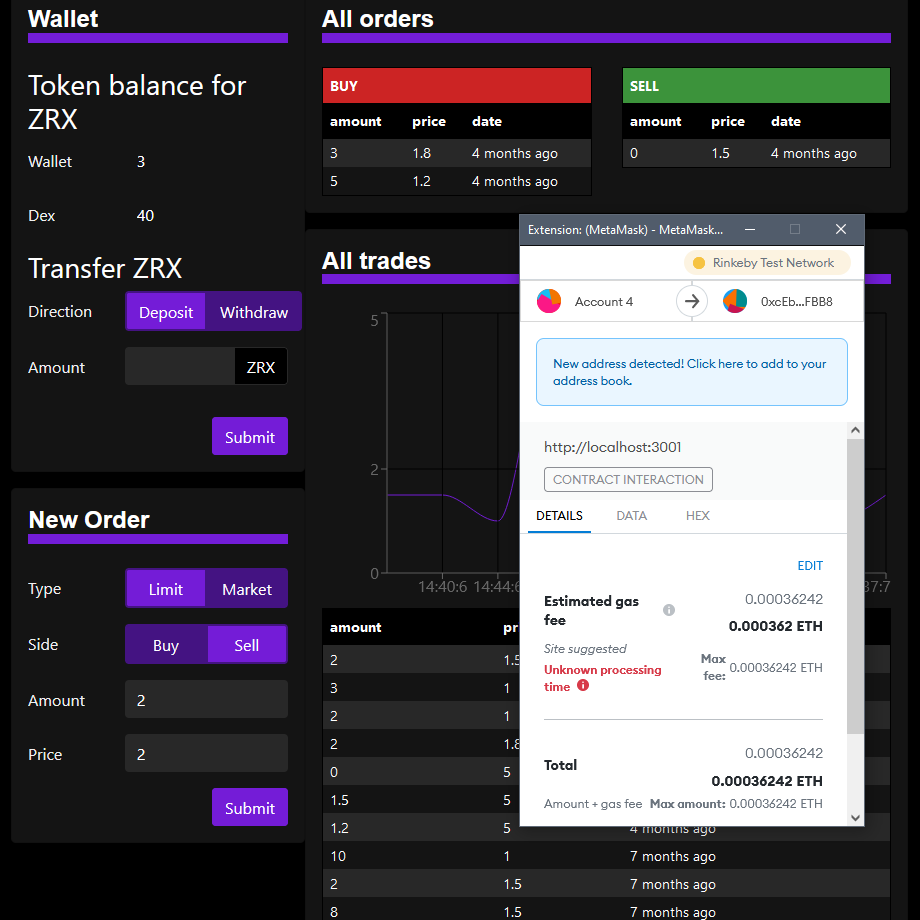
Entering a Limit-Sell order
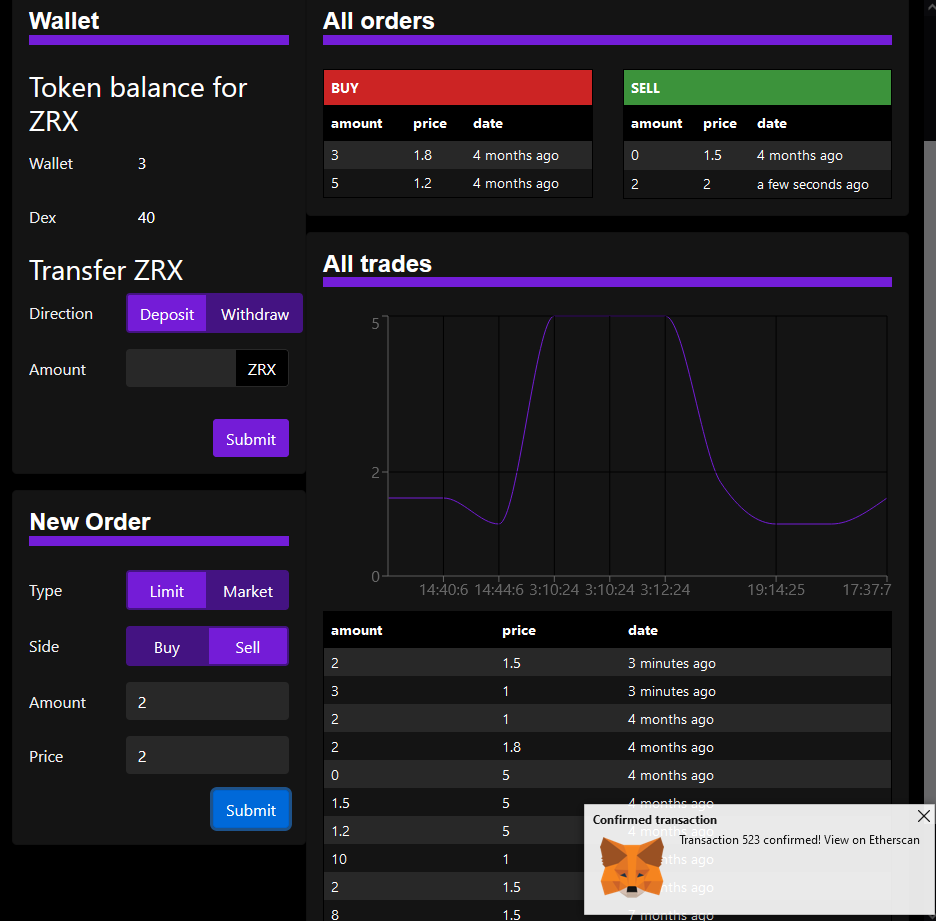
After the transaction confirms, the order books are updated
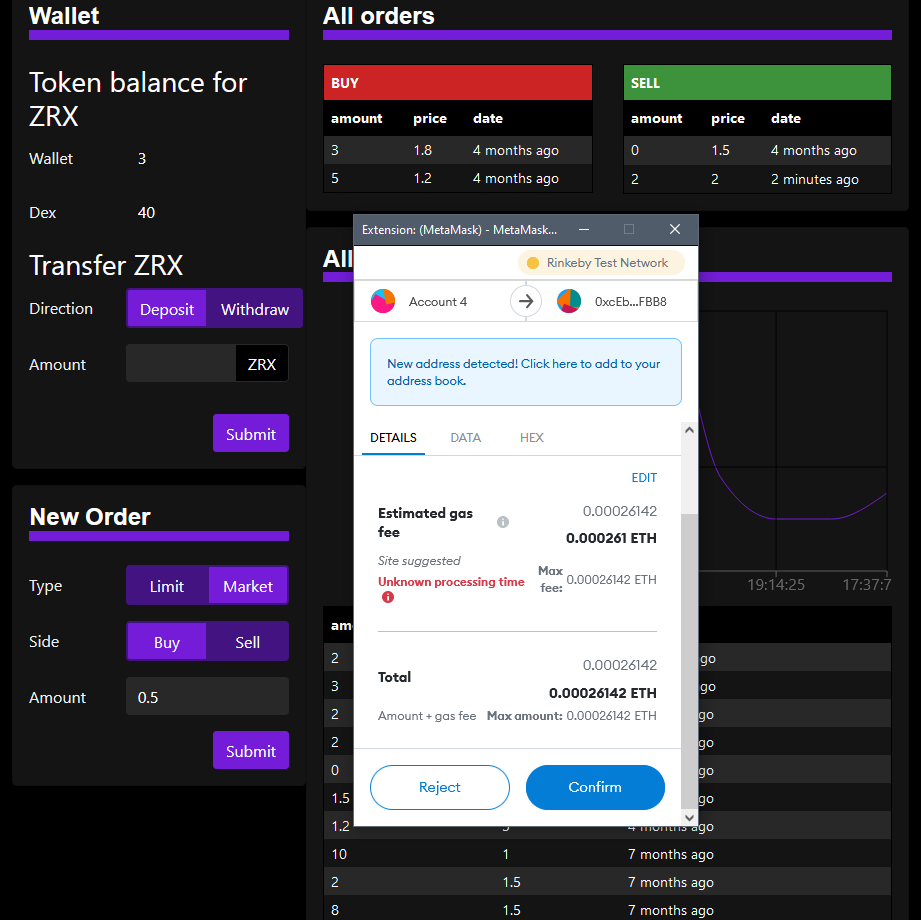
Entering a Market-Buy order
A confirmed market order updates all tables and the graph
It opens on the base token. DAI can be deposited here to trade for other tokens.
Dev Notes
From the creator... blessed be heThe contract uses an 'internal' library for sorting, swapping, removing filled orders, etc.
Future improvement #1: A better data structure for order books to handle separate user orders at the same price.
Future improvement #2: Linked list-based order books will increase the efficiency of removing filled orders.
How to use
NOTE: This app is not suited for mobile browsers
1. Switch your wallet to Rinkeby and get testnet ETH
2. Go to app.compound.finance > DAI (supply) > click the 'Faucet' link at the bottom to mint 100 DAI.
3. Navigate back to the app and deposit your DAI under the 'Wallet' section.
4. Use the dropdown in the top-left to switch tokens (currently ZRX & USDC are supported).
5. Place limit and/or market orders to test out the app
6. Feel free to contact me with any comments, compliments or complaints.