Block Savings
A dApp providing saving and borrowing facilities for ERC20 tokens
Summary
This dApp allows users to save and earn interest on their tokens and to also borrow against those savings. It utilizes account wallets to interact with the compound protocol for trusted and safe operation.
Shows up to date interest rates
Provides live collateral updates before a transaction is sent
Support for more tokens can be added after deployment
Save in one token, then borrow in another (with some caveats on testnets)
Tech & Tools
Frontend

Web3Modal

Next JS

Chakra UI
Ethers JS
Backend

Netlify
Contracts

Solidity

Open Zeppelin

Hardhat
Architecture
Click image to see full size
dApp Walkthrough
Click image to see full size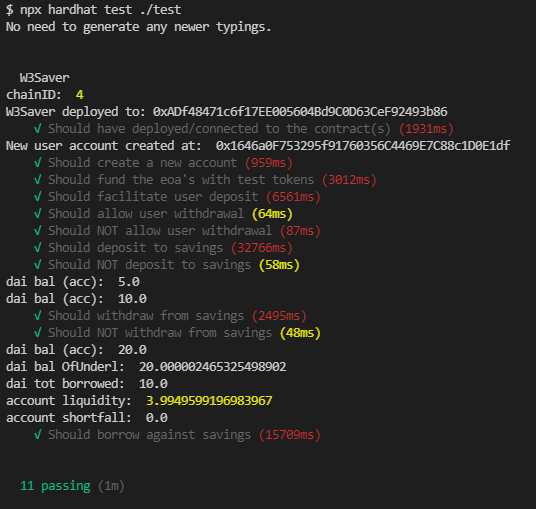
11 smart contract tests passsing
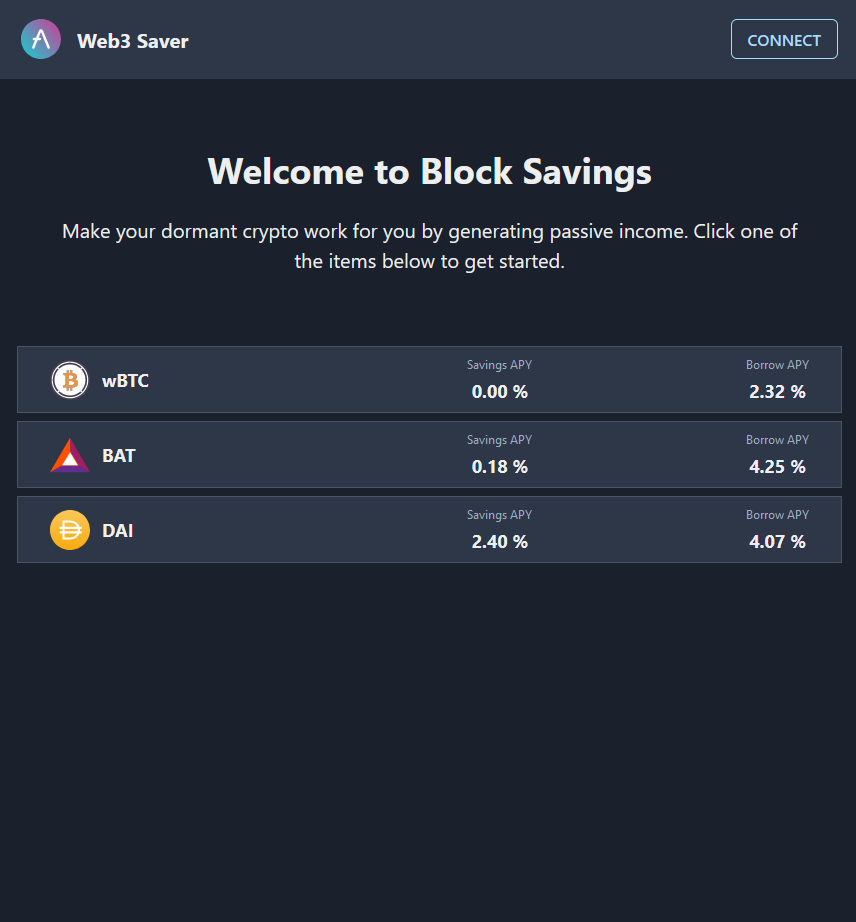
Before a wallet is connected, the rates for mainnet are shown, as the wallet may be on any chain before connecting
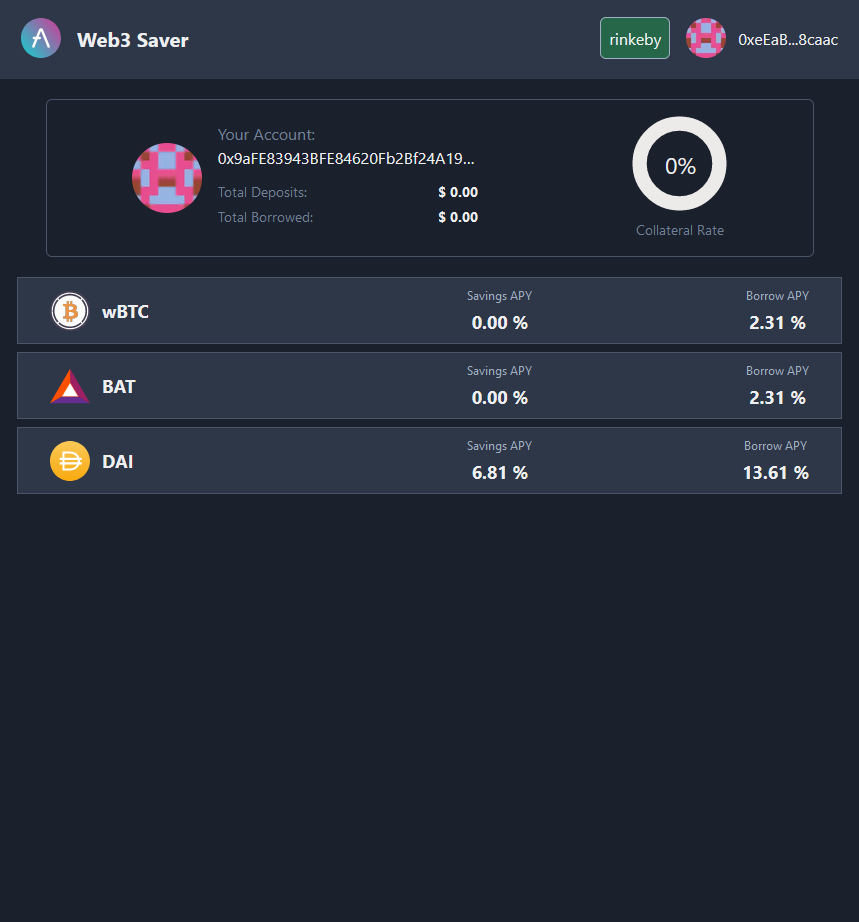
After a wallet connects, the rates for that chain are shown. New users will have to create an account.
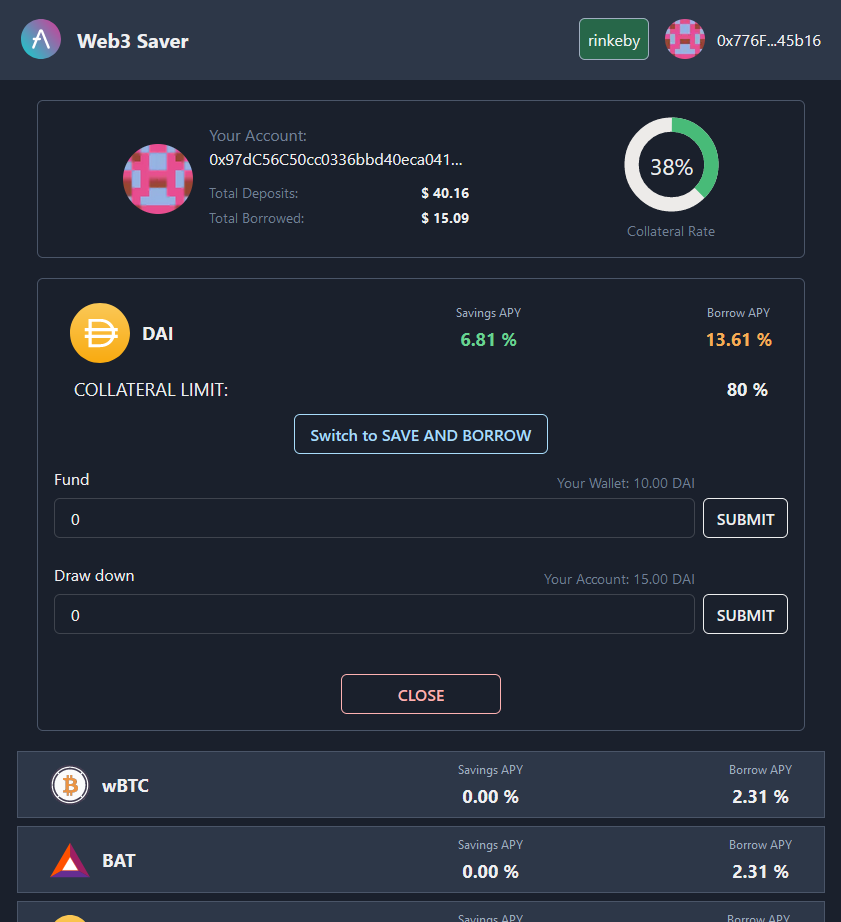
The 'Add/Remove Funds' section to transfer tokens between wallet and account. Here, showing an already active account.
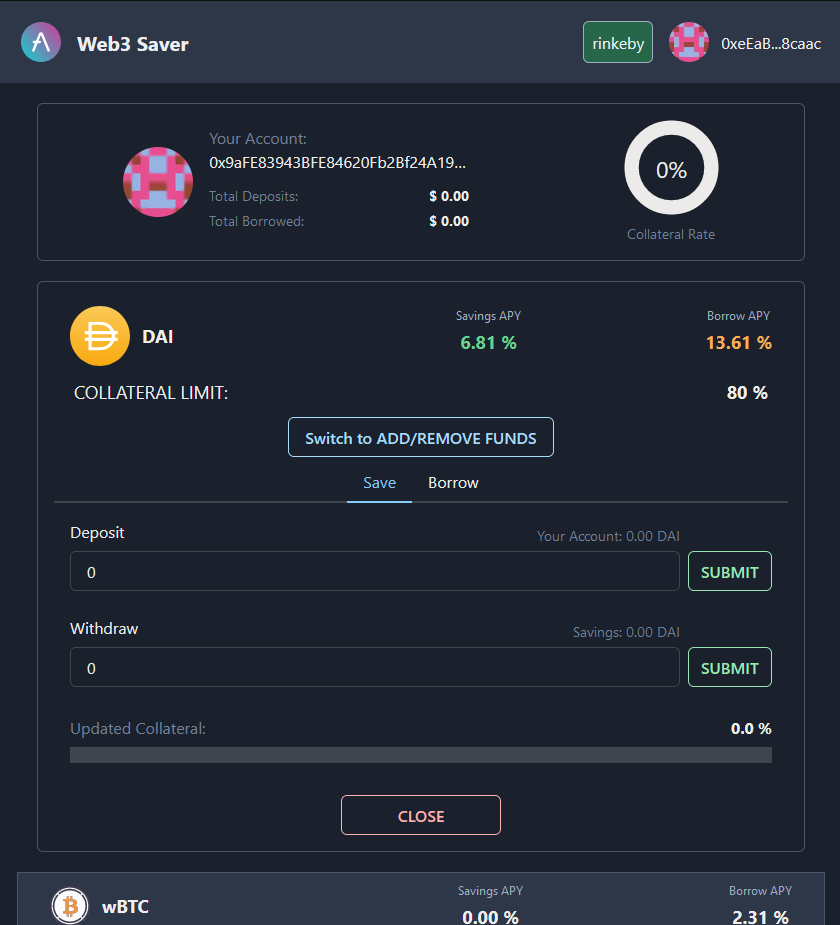
The 'Save and Borrow' section interacts with the savings platform
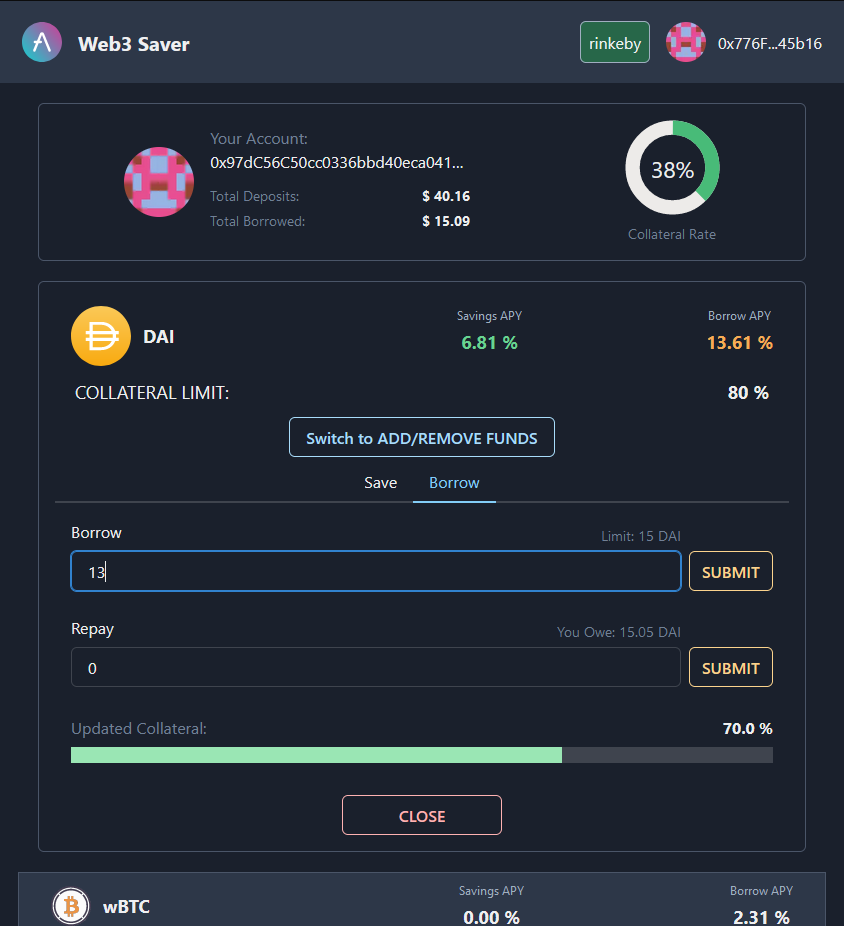
The bottom collateral bar shows live updates before a user sends a transaction
11 smart contract tests passsing
Before a wallet is connected, the rates for mainnet are shown, as the wallet may be on any chain before connecting
Dev Notes
From the creator... blessed be heUses the factory pattern for user accounts
useReducer & useContext for state management with combined reducers
Configured to run on Rinkey, Mainnet and Ropsten BUT contracts ONLY deployed on Rinkeby
11 smart contract tests passing
Utilizes the Comptroller and CToken contracts of Compound
How to use
NOTE: depositing & borrowing in different tokens is possible but prices on Testnets are wildly incorrect and thus 1 wBTC may not be enough collateral to borrow 100 DAI on a testnet
NOTE: for the afore-mentioned reason, all price data is from Coingecko and does not represent the actual value on Rinkeby, for example
1. Switch your wallet to Rinkeby and get testnet ETH
2. Go to app.compound.finance > DAI (supply) > click the 'Faucet' link at the bottom to mint 100 DAI.
3. Repeat the previous step for other tokens the dApp supports (some issues with BAT on Rinkeby)
4. Launch the app, connect and click on 'create an account'(currently, you need to refresh after transaction confirmation).
5. The account section shows the address of your newly created account.
6. Click a token bar to show its 'Save/Borrow' section. Switch to the 'Add/Remove funds' section with the corresponding button
7. Add funds to your account (Fund). This has 2-steps: Approve & Transaction (no near-infinite approvals)
8. Switch back to the 'Save/Borrow' section, where the available values show as field limits
9. Save (Deposit) some tokens. Deposit, withdraw, borrow and repay are all 1-step transactions.
10. Switch to the 'Borrow' tab and borrow some of those tokens back. The live collateral bar shows what the new collateral rate will be
11. Submitting the borrow transaction will update the circular collateral rate in the account section